
Garage Menu
Find, share and manage your vehicles
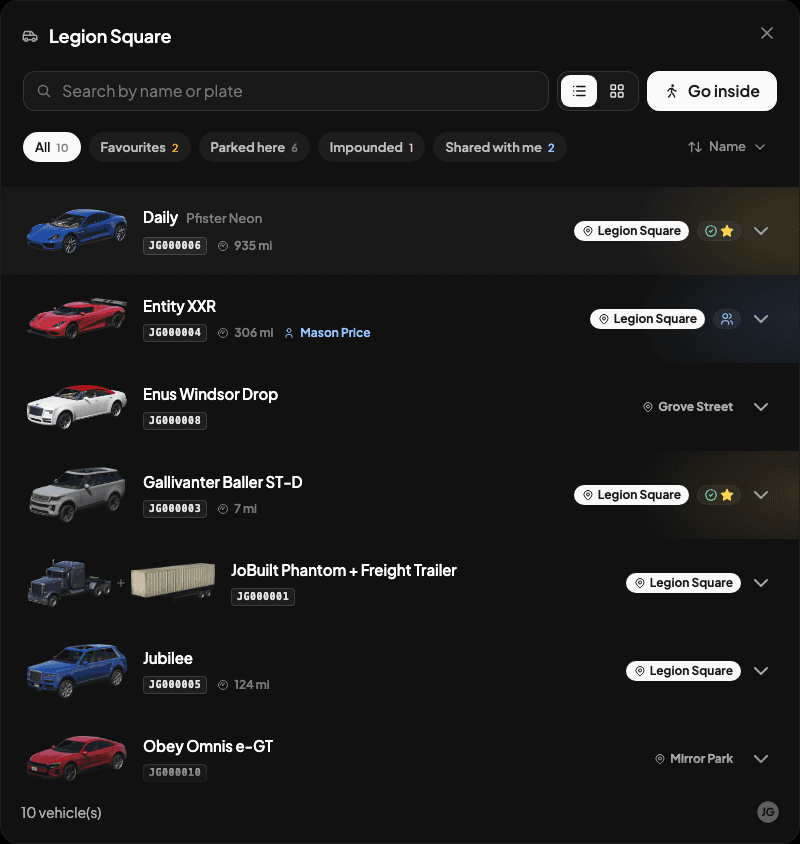
Open a garage to see your vehicles and any shared with you. Select a vehicle to see its condition and available actions.
Views
Use the buttons beside search to switch between list and grid. Your choice is remembered.
Search, filters and sorting
Search by name, nickname or plate. Use the filters to find favourites, parked vehicles or shares. Relevance puts favourites and vehicles parked here first; other sort options include name, mileage and condition.
Favourites
Select a vehicle and press the star. Favourites are personal to each player, including borrowed vehicles.
Nicknames
Choose Rename Vehicle from the three-dot menu. Names can be up to 50 characters; leave the field empty to restore the model name.
What a row shows
Open a vehicle to see its condition, location and any finance or impound details.
Track sets a GPS waypoint to a vehicle left outside. It isn't live tracking; select it again to update the position. Return & Drive is available when the vehicle can be recovered.
Vehicle sharing
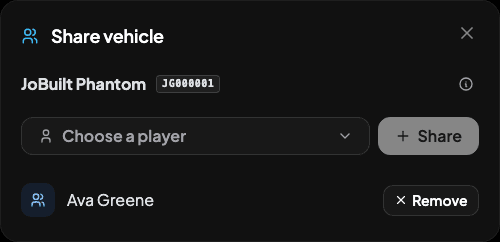
Choose Share, select an online player and confirm. Use the same window to remove access, even when that player is offline.
- Ownership stays with you. Borrowers can't sell, transfer, rename or share the vehicle.
- Only one player can have it out. Borrowers return it where they collected it.
- Shares work while you're offline, but don't give access to restricted garages. Individual sharing isn't used by job, gang or housing garages.
Removing access stops future borrowing; the current borrower can still return the vehicle. For garage-wide sharing, use Shared vehicles.
Configuration
Set these in config/config.lua:
Config.EnableVehicleSharing = true
Config.VehicleSharingMaxPlayers = 10
Config.TransferHidePlayerNames = false -- Set true to show player IDs only
For database requirements, see Database update.
Parking capacity
The footer shows your available spaces. A full garage still allows retrieval, but refuses new parking and transfers. Public garages can suggest another nearby garage with space.
Set limits in Admin Panel. For appearance options, see Vehicle Images; Config.HideWatermark = true hides the footer logo.
Last updated 18 September 2026