
Inventory Items
Install the items and choose how players get tools and security equipment
You can distribute tools and security equipment through shops, stashes or your own scripts. Keys must be issued through Vehicle Keys, such as by a garage, locksmith or /vehiclekeysadmin.
Installation
Add the items
Open jg-vehiclekeys/install/inventory/ and use the file for your inventory:
| Inventory | File | Add the items to |
|---|---|---|
ox_inventory | ox_inventory-items.lua | ox_inventory/data/items.lua |
qb-inventory | qb-inventory-items.lua | qb-core/shared/items.lua |
qs-inventory | qs-inventory-items.lua | qb-core/shared/items.lua on QBCore; qs-inventory/shared/items.lua on ESX |
codem-inventory | codem-inventory-items.lua | codem-inventory/config/itemlist.lua |
jaksam_inventory | jaksam_inventory-items.lua | jaksam_inventory_data/items.lua on v1.28+; jaksam_inventory/_data/items.lua on older versions |
one_inventory | one_inventory-items.json | Create the items in /inventory:manage using the supplied fields |
| Built-in ESX inventory | esx-items.sql | Run the file in your server's database |
For Lua files, copy the entries inside the return table into your existing item list. Don't copy the surrounding return { and } or replace your other items. Update existing entries instead of adding duplicates.
One Inventory's JSON is a field reference, not an import file. Leave its custom item-use export and event fields blank.
The built-in ESX inventory requires Config.KeyMode = "virtual" in config/config.lua. Its SQL file includes tools and security items only.
Keep the supplied uniqueness, item-use and consumption settings. Vehicle Keys handles item removal.
Copy the images
Copy the .png files from jg-vehiclekeys/install/inventory/images/ to your inventory's item image folder:
| Inventory | Image folder |
|---|---|
ox_inventory | ox_inventory/web/images/ |
qb-inventory | qb-inventory/html/images/ |
one_inventory | one_inventory/web/images/ |
jaksam_inventory | Your installed version's _images/ folder |
For other inventories, use their existing item image folder.
Restart your server
Fully restart your server. In Flexible or Limited mode, check that an issued key displays its image and opens the fob when used.
Items
Name is the item name used by your inventory. Label is the name players see.
| Name | Label | Use | |
|---|---|---|---|
 | vehicle_key | Car Keys | Opens the vehicle's fob. |
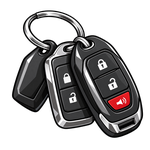 | vehicle_keyring | Keyring | Holds keys for several vehicles. Created when players group keys in /keyring. |
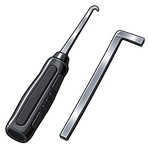 | lockpickingkit | Lockpicking Kit | Use near a locked vehicle to pick its door lock. |
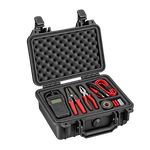 | hotwiringkit | Hotwiring Kit | Carry it and use the ignition prompt from the driver's seat. |
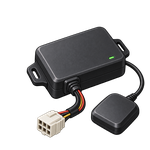 | vehicle_gps | Vehicle GPS | Installs GPS tracking for the owner and authorised shared users. |
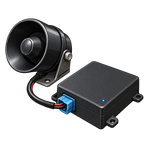 | vehicle_alarm_connected | Connected Vehicle Alarm | Adds alerts for the online owner. |
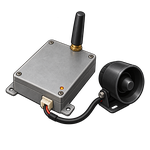 | vehicle_alarm_monitored | Connected + Monitored Vehicle Alarm | Adds owner alerts and police dispatch. |
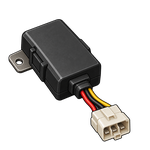 | vehicle_immobiliser | Vehicle Immobiliser | Blocks hotwiring. A valid key is required to start the engine. |
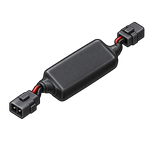 | vehicle_ghost_immobiliser | Ghost Immobiliser | Blocks hotwiring and requires a key plus a four-digit PIN to start. |
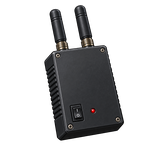 | vehicle_gps_jammer | Vehicle GPS Jammer | Temporarily blocks GPS updates and wireless alarm alerts. |
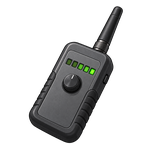 | vehicle_tracking_removal_kit | Vehicle Tracking Removal Kit | Removes an installed GPS tracker. |
Don't use /giveitem to create keys or keyrings. An ordinary spawned item won't provide vehicle access.
Every vehicle already has a basic audible alarm. It doesn't need an item.
Branded keys
The item files also include 56 branded keys, such as vehicle_key_albany (Albany Key). These work like vehicle_key and are issued automatically with Config.BrandedKeyItems = true, the default in config/config.lua.
Set Config.BrandedKeyItems = false to issue the generic Car Keys item instead. For a fresh installation, you can omit the branded section at the end of the item file. Keep those definitions if players already have branded keys.
Last updated 5 November 2026