
Image Sets
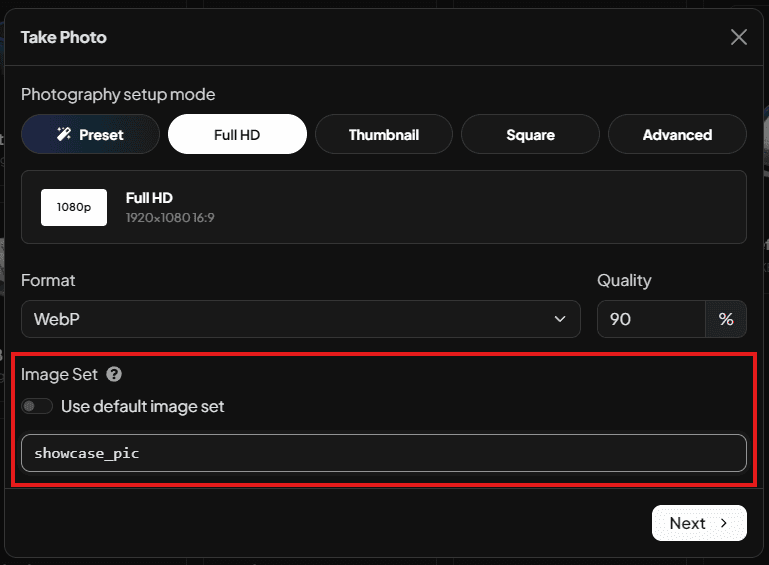
Image sets are named photo slots for a vehicle. They are useful if you want vehicles to have multiple images for different use cases. A transparent PNG for lists, and a cool stylised pic with a background for showcase images, for example.
They are controlled by the imageId value used when a photo is saved or requested through exports. The default image set is called default.
Why image sets exist
A single vehicle can need more than one image. For example:
| Example image set ID | Example use |
|---|---|
default | Main gallery image. |
showroom | Dealership UI image. |
loading_banner | Loading screen image. |
transparent | Transparent-background image for custom UI layouts. |
Each vehicle stores images by image set. That means adder/default and adder/showroom are separate images.
Image sets are shared names, not folders
An image set is just an ID. It does not create a separate folder or global collection.
If you photograph adder, banshee, and zentorno with the image set showroom, each vehicle gets its own showroom image. Other scripts can then ask for the showroom image by passing the same image ID to the exports.
local showroomImage = exports["jg-vehiclestudio"]:getImage("adder", "showroom")Naming rules
In the UI, custom image set IDs:
| Rule | Detail |
|---|---|
| Allowed characters | Letters, numbers, and underscores. |
| Length | Up to 25 characters. |
| Default set | Use the Use default image set switch to save as default. |
Use lowercase underscore names for consistency, such as showroom, website_banner, or transparent_bg.
Internally, image IDs are sanitised before storage. Existing server-side paths also support hyphens, but the UI is designed around underscore IDs.
Saving and replacing images
When a vehicle is photographed with a new image set, Vehicle Studio adds that image set to the vehicle.
When a vehicle is photographed with an image set it already has, the existing image for that vehicle and image set is replaced.
For example:
| Action | Result |
|---|---|
Save adder with default | Creates or replaces the default image for adder. |
Save adder with showroom | Creates or replaces the showroom image for adder. |
Save banshee with showroom | Creates or replaces the showroom image for banshee. It does not affect adder. |
Retaking an image or bulk photographing with All vehicles can replace existing images in the selected image set.
Bulk photography and image sets
Bulk Photograph uses the selected image set to decide what to process.
| Scope | Behaviour |
|---|---|
| Only missing | Photographs vehicles that do not already have the selected image set. |
| All vehicles | Photographs every vehicle and replaces existing images in the selected image set. |
This is useful when you add a new image set later. For example, if every vehicle already has default, you can create a new website_banner set by bulk photographing Only missing for website_banner.
File names and storage
Local image files are stored in exported_images/.
| Image set | Local filename format |
|---|---|
default | <spawnCode>.<format> |
| Custom image set | <spawnCode>_<imageId>.<format> |
Examples:
exported_images/adder.webp
exported_images/adder_showroom.webp
exported_images/adder_website_banner.png
When database storage is enabled, metadata is stored by both spawn_code and image_id.
Image fallbacks
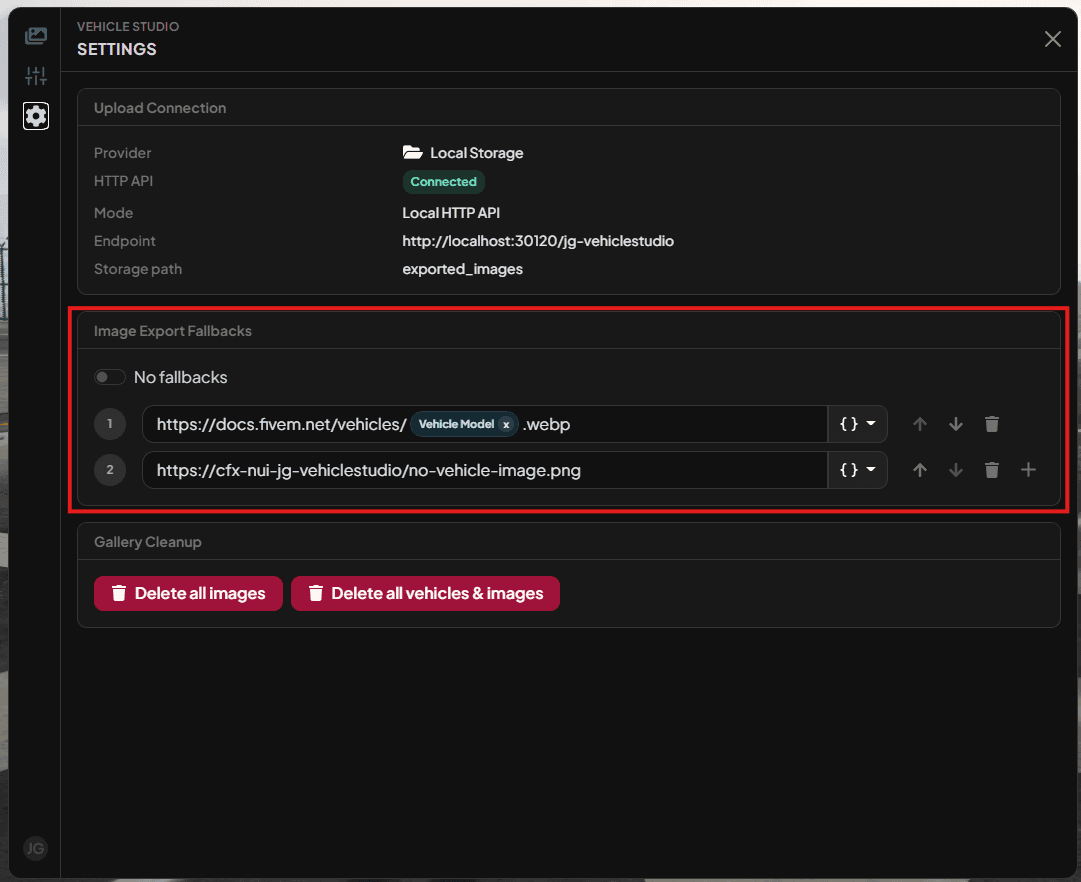
If an image does not exist, Vehicle Studio can return a configured fallback image instead. Fallbacks are controlled in the Settings tab.
By default, Vehicle Studio tries the FiveM vehicle image URL and then the local no-image placeholder. If you need exports to return nil for missing images, disable image fallbacks in Settings.
Using image sets from other scripts
Pass the image set ID as the second argument to getImage or getImages.
local defaultImage = exports["jg-vehiclestudio"]:getImage("adder")
local showroomImage = exports["jg-vehiclestudio"]:getImage("adder", "showroom")

local images = exports["jg-vehiclestudio"]:getImages({
  "adder",
  "banshee",
  "zentorno",
}, "website_banner")
See Exports API for full API details.
Last updated 19 July 2026