
Mechanic
ox_inventory
Items
- Go to
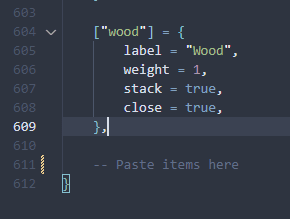
jg-mechanic\install\inventory\ox_inventory-items.luaand copy the whole list withoutConfig.Items = {and}at lines 3 and 190. - Go to the bottom of
ox_inventory\data\items.lua. - Paste the items before the last
}.
Images
- Go to
jg-mechanic\install\inventory\imagesand copy all the images. - Locate the
ox_inventory\web\imagesfolder. - Paste the images in there.
Last updated 19 July 2026